> ## Documentation Index
> Fetch the complete documentation index at: https://www.zinc.com/docs/llms.txt
> Use this file to discover all available pages before exploring further.
# Retailer Credentials
> Retailer credentials object structure and attributes
## Retailer Credentials Object
```json Example Retailer Credentials Object theme={null}
{
"email": "timbeaver@gmail.com",
"password": "myRetailerPassword"
}
```
## Attributes
| Attribute | Type | Description |
| :------------------ | :----- | :-------------------------------------------------------------------------------------------------------------------------------------------------------------------------------------------------------------------------------------------------------------------------------------------------------------------- |
| `email` | String | The email for the retailer account |
| `password` | String | The password for the retailer account |
| `verification_code` | String | (Optional) The verification code required by the retailer for logging in. Only required in cases where the retailer prevents a login with an `account_locked_verification_required` error code. |
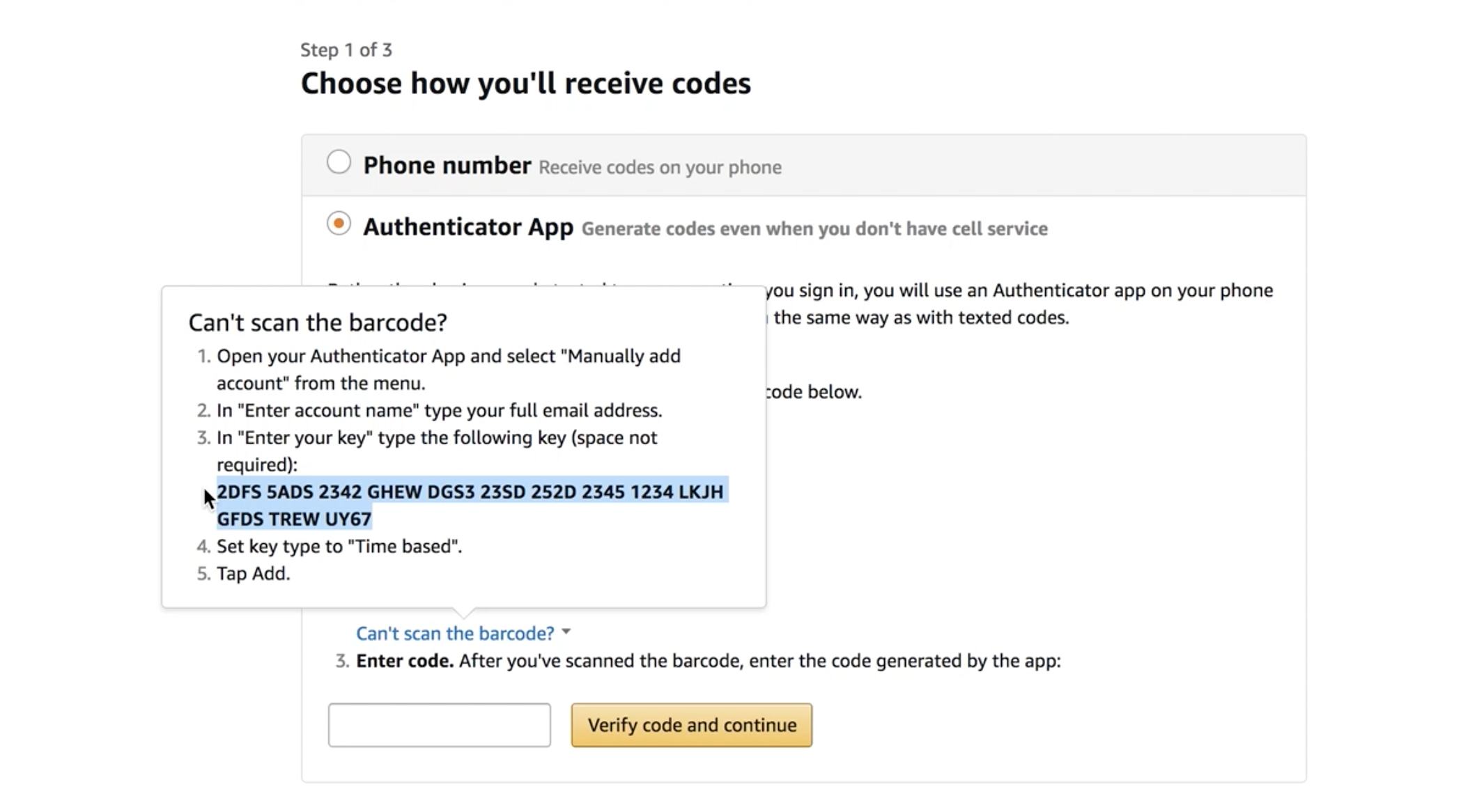
| `totp_2fa_key` | String | (Optional) The secret key used for two factor authentication. If you have two factor authentication enabled, you must provide this key. You can find the 64 digit Amazon key by enabling two factor authentication and clicking on the "Can't scan the barcode?" link. Note: This is not the 6 digit time based code. |
| `sso_url` | String | (Optional) Single Sign-On URL for AWS or corporate account authentication. When provided, the login flow will redirect to this SSO endpoint instead of the normal Amazon login page. |